Understanding ToDesk: The Revolutionary Remote Desktop Solution
In today's fast-paced digital world, the demand for effective remote desktop solutions has soared. As businesses increasingly embrace remote work culture, the necessity for reliable software that ensures seamless connectivity, security, and functionality has become paramount. ToDesk stands out as a leading contender in this field, offering a user-friendly interface combined with powerful features tailored for various remote work needs. Let's delve into what makes ToDesk a top choice for remote desktop solutions and explore its key capabilities.
What is ToDesk and Its Key Features?
ToDesk is a state-of-the-art remote desktop software that allows users to access and manage computers from anywhere in the world. Its robust feature set includes:
- Cross-Platform Compatibility: ToDesk supports multiple operating systems including Windows, Mac, Linux, Android, and iOS, enabling users to operate seamlessly across different devices.
- High-Level Security: The software employs end-to-end encryption technology and multi-layer authentication to safeguard user data and privacy.
- Low Latency and High Quality: With self-developed image compression algorithms, ToDesk ensures smooth operation even in challenging network conditions.
- User-Friendly Interface: The intuitive design of ToDesk enables users, regardless of technical expertise, to navigate the software effortlessly.
Security and Privacy: Why ToDesk Stands Out
In an era where data breaches and online threats are rampant, ToDesk prioritizes security. By employing cutting-edge encryption protocols, the software guarantees that all data transmitted during remote sessions is protected against unauthorized access. Furthermore, with features like session recording and advanced user verification, ToDesk provides an added layer of security that is crucial for sensitive tasks and operations.
The Importance of User-Friendly Interface in Remote Software
A cluttered or complex interface can hinder productivity, especially in remote desktop software where time is often of the essence. ToDesk addresses this by offering an uncomplicated and accessible user interface that allows users to connect quickly and efficiently. The ease of navigation ensures that even novices can utilize the software to its full potential without extensive training.
Setting Up ToDesk: A Complete Guide
Installing and configuring ToDesk is straightforward, making it accessible for users with varying levels of technical knowledge. This guide will help you set it up efficiently across different platforms.
Step-by-Step Installation for Different Platforms
ToDesk can be installed on various operating systems. Here’s how:
- Windows: Download the installer from the official website, run the executable file, and follow the prompts.
- Mac: Locate the ToDesk application in the Mac App Store, download it, and drag it into your Applications folder.
- Linux: Access the terminal and use the appropriate package manager to install ToDesk from the repository.
- Android/iOS: Visit the Google Play Store or Apple App Store, search for ToDesk, and install it on your mobile device.
Configuring Security Settings for Maximum Protection
Once installed, it’s crucial to configure your security settings. This includes enabling the two-factor authentication feature and setting up session timeouts to further protect your sessions from unauthorized access.
Connecting Devices for Seamless Remote Access
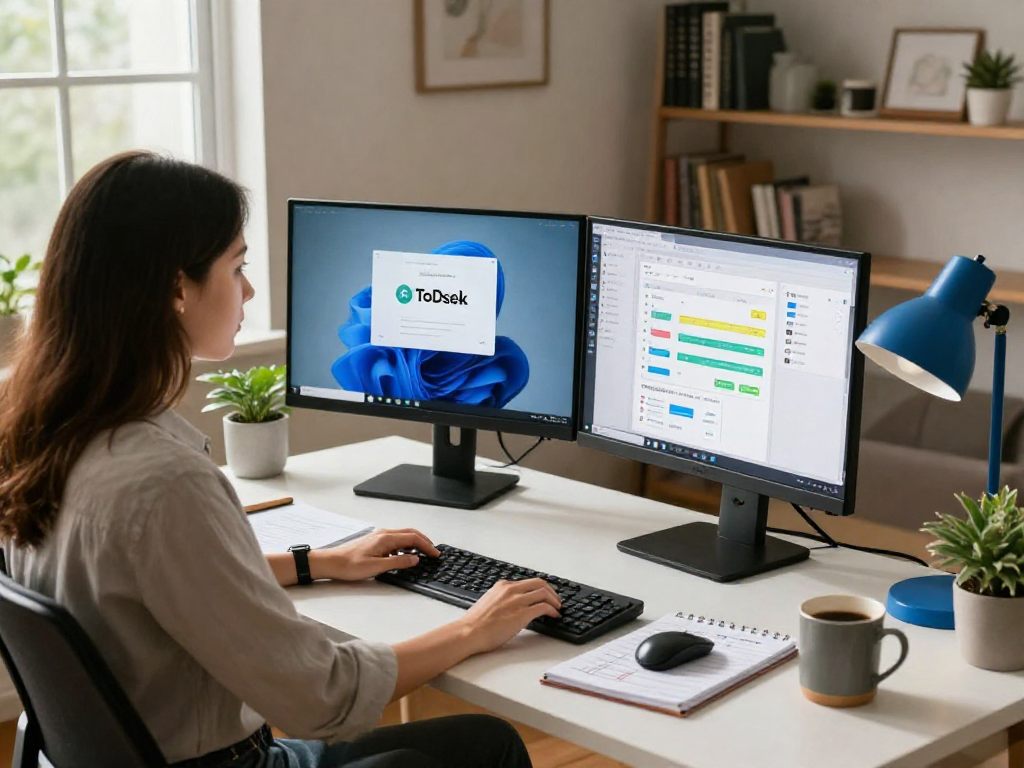
After installation, connecting devices is simple. Users can quickly establish connections by entering the unique access codes provided by ToDesk, allowing for remote access to desktops and applications as needed.
Utilizing ToDesk for Various Use Cases
ToDesk's versatility makes it suitable for a broad range of applications, supporting businesses and individuals alike. Below are some key use cases.
Remote Work: Enhancing Productivity at Home
For remote workers, ToDesk provides an efficient way to access office resources. Employees can connect to their office computers from the comfort of their homes, ensuring that they have all the necessary tools at their fingertips to maintain productivity.
IT Support: Quick Solutions for Technical Issues
IT support teams can leverage ToDesk for troubleshooting and resolving issues swiftly. This capability allows technicians to remotely access and diagnose client devices, significantly reducing the time required to solve problems and minimizing travel costs.
Collaboration: Tools for Effective Teamwork
With the increasing trend towards virtual collaboration, ToDesk offers tools that facilitate teamwork among remote teams. By enabling screen sharing and collaborative sessions, teams can work together more effectively, regardless of their physical locations.
Best Practices for Using ToDesk Effectively
To maximize the benefits of ToDesk, it is essential to implement best practices that enhance user experience and productivity.
Managing Remote Sessions: Tips for Efficiency
When managing multiple remote sessions, it’s advisable to keep your workspace organized by using tabs effectively and labeling sessions. This practice will help you switch between engagements smoothly.
Handling Privacy and Data Protection When Remote
Maintaining data privacy is crucial. Implement strong password policies and educate users about recognizing phishing attempts that could compromise remote sessions.
Ensuring Smooth Performance: Troubleshooting Common Issues
If you encounter connectivity issues, check your internet connection and consider utilizing a wired connection for more stable performance. Regular software updates can also prevent technical glitches and improve functionality.
Future Trends in Remote Desktop Technology for 2026
The remote desktop software landscape is evolving rapidly. As 2026 approaches, several trends are anticipated to shape the future of these technologies.
Emerging Features to Expect from Future ToDesk Updates
Future updates to ToDesk may include enhanced AI functionalities for automated troubleshooting and improved user experience based on machine learning algorithms that adapt to user behavior.
The Role of AI in Enhancing Remote Collaboration Tools
Artificial Intelligence will likely play a pivotal role in the future of remote collaboration. Tools integrated with AI can offer predictive analytics and personalized recommendations, making remote teamwork more efficient.
Industry Insights: Predictions for Remote Work Software
As organizations increasingly move to hybrid work models, there will be a growing demand for integrated solutions that combine remote desktop capabilities with project management tools, enabling seamless cross-functionality.
What makes ToDesk a trusted choice for remote access?
ToDesk's commitment to security, user experience, and cross-platform capabilities positions it as a reliable and trusted choice for both individuals and organizations seeking efficient remote access solutions.
How can I maximize the effectiveness of ToDesk?
To maximize effectiveness, users should familiarize themselves with all features, regularly schedule updates, and engage with support resources to resolve any issues promptly.
What security features does ToDesk offer?
The software's security features include end-to-end encryption, two-factor authentication, and advanced session management to protect data integrity during remote connections.
Is ToDesk suitable for large teams and enterprises?
Yes, ToDesk is designed to accommodate large teams, offering scalable solutions that meet the diverse needs of enterprise users while maintaining security and functionality.
What support options are available if I have issues with ToDesk?
ToDesk provides extensive support options including online help centers, user forums, and direct customer service to assist users with any queries or technical challenges they may encounter.